
Devices
Devices is the home view: groups on the left, devices on the right. Sending is covered in Send.
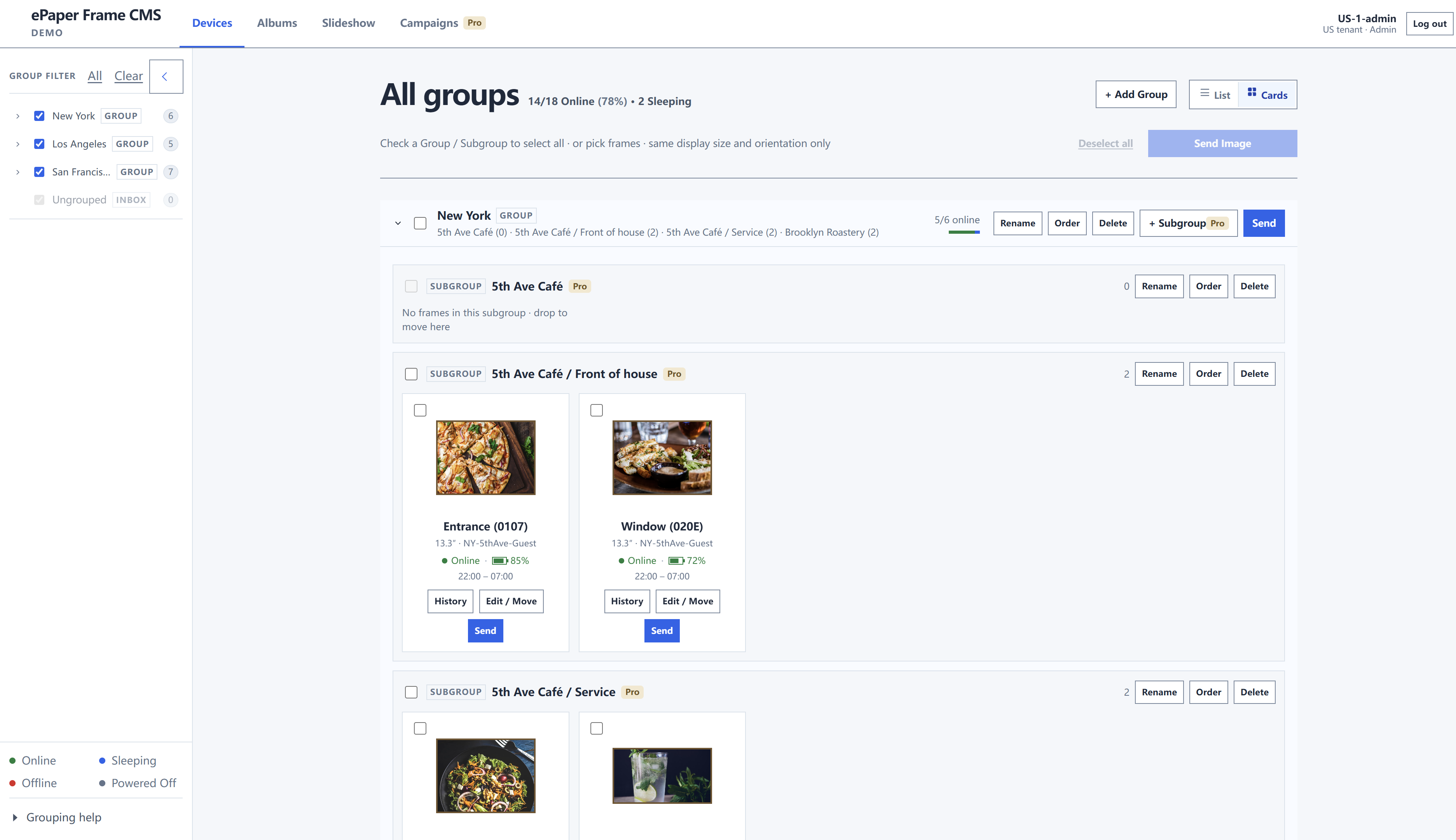
What you can see
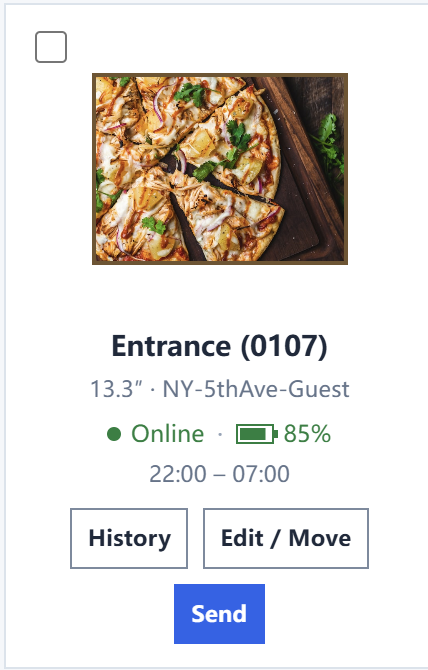
Each device shows:
- Online status: online, sleeping, offline, powered off
- Screen size
- Battery
- Wi-Fi name
- Send history (History)
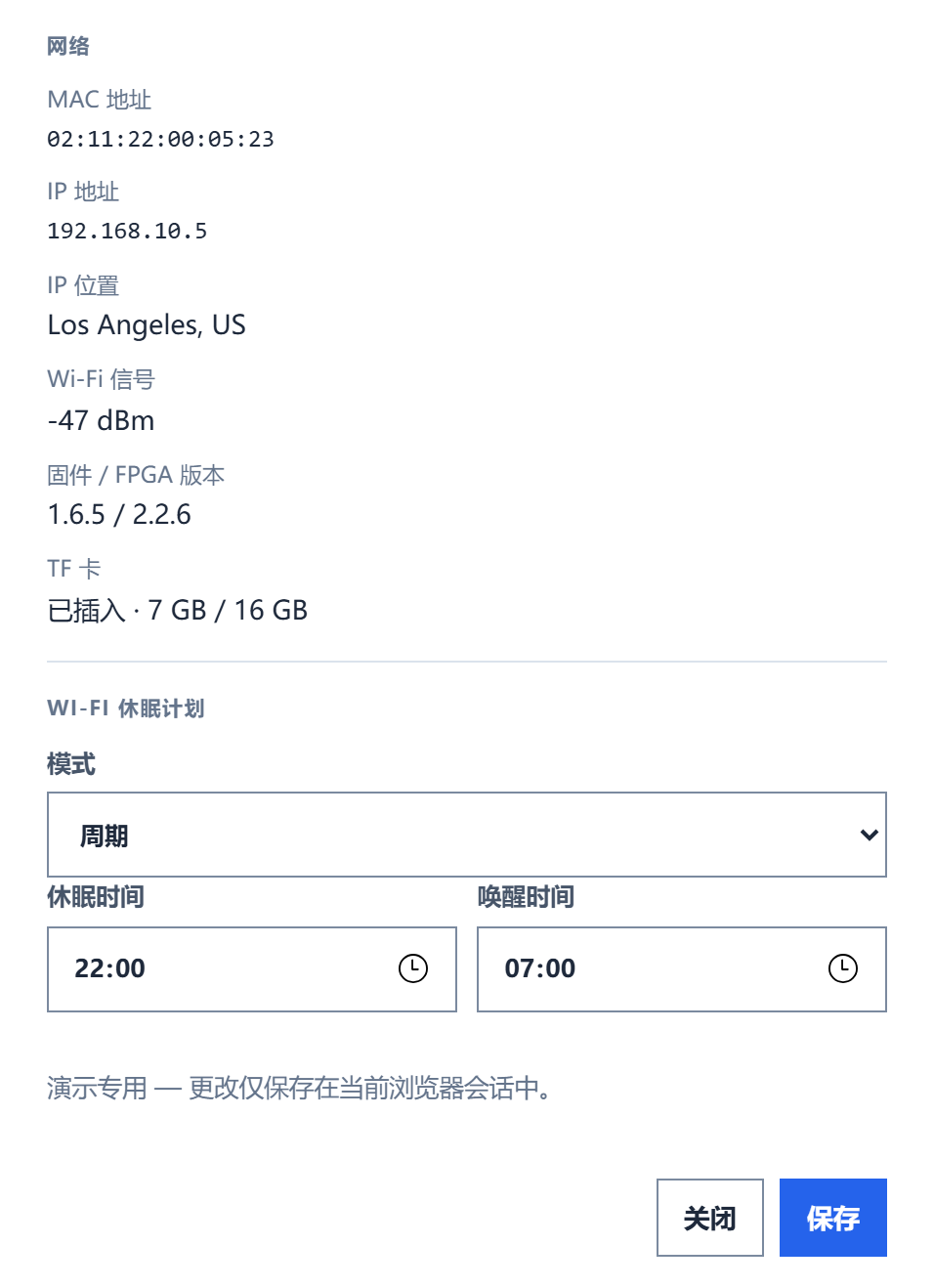
What you can change
- Name and group (Edit / Move)
- Wi-Fi sleep: off, once, or periodic. This line is sleep, not a content window
Send on a card or a group row sends an image. The steps are in Send.
The /app top bar is Devices, Albums, Slideshow (this console also has Campaigns). Before the first send, confirm the device is online here.
List and cards
List
- Left: Group Filter, by region / store / group.
- Center: All groups, with an online count for each group, for example
5/6 online. - Top right: switch List / Cards, and + Add Group.
- Each Group row: Rename, Order, Delete, + Subgroup (Pro badge), Send.
Cards expand by subgroup. Under each card: History, Edit / Move, and Send.
Group levels, order, and membership are on Groups.
Device status
| Status | Meaning |
|---|---|
| Online | Connected. Can receive content now. |
| Sleeping | Asleep. Usually wakes at the scheduled time and then applies an update. |
| Offline | Not reachable. Cannot take a new image right now. |
| Powered Off | Powered off. The device is shut down. |
Drag a frame to change its group
Drag a frame onto another Group or Subgroup to change where that device belongs. Drop it on Ungrouped to take it out of the current store.
Checkboxes on the left only filter the list. They do not move devices. Dragging changes membership, not the image on the frame. On /app, the list updates only after the server move succeeds.
Group levels and order are on Groups.