
Groups
Devices support several group levels.
For example: The devices in one store can be a Group.
Several stores can be a Group Set.
Inside a store, Subgroups separate areas so they can be managed together.
Devices that are not in a store yet stay Ungrouped.
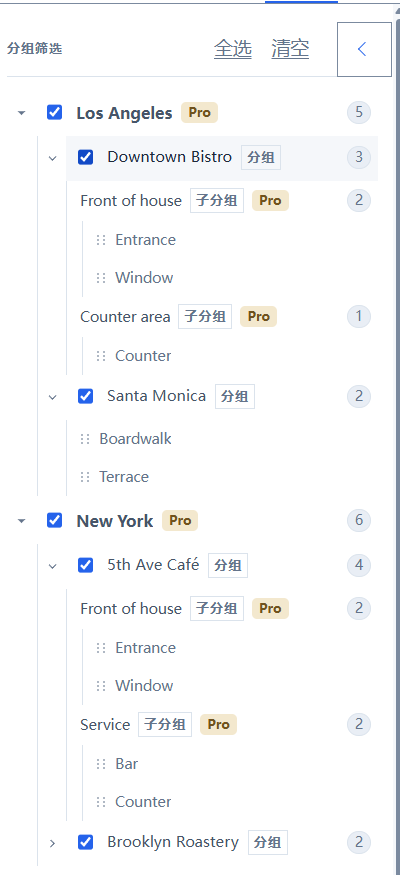
Checkboxes on the left only filter the current list. They do not move devices. Drag a device onto a group, a subgroup, or Ungrouped to change where it belongs.
Status on a device card is covered in Devices. Sending is covered in Send.